Advanced Astrology Software for Windows 10/11, Windows 7, and Windows 8 or 8.1
Astrology for Windows™, v. 3.0
AstrolDeluxe ReportWriter™, v. 8.7
AstrolDeluxe Platinum™, v. 11.4
Customers are buying one of three astrology programs now -- either the $45.00 Astrology for Windows program, the $169 AstrolDeluxe ReportWriter program, or the $300 AstrolDeluxe Platinum program. The Astrology for Windows
shareware program is available in unregistered demo form as a free software download and
in registered form for $45.00. The calculations in this astrology program
may be all that an astrology hobbyist needs. The $300 AstrolDeluxe Platinum, which is now at version 11.4, branched away from AstrolDeluxe ReportWriter in 2016 when John Halloran worked for eight months with over 100 Beta testers to add an ambitious set of advanced new calculation features, many of which have not been seen before in any Windows program. See animated tutorials that cover some of the new features of AstrolDeluxe Platinum. The $169 AstrolDeluxe ReportWriter program is version 8.7 of AstrolDeluxe for Windows. AstrolDeluxe ReportWriter is a full-featured calculation program which bundles the 250,000 cities PC Atlas. Although many astrologers buy it just for its calculation ability, built into AstrolDeluxe ReportWriter is an unparalleled report printing engine that lets you print customizable professional-length interpretation reports without leaving the calculation program. It comes with well-written interpretations for 18-page natal reports, and professional astrologers have written interpretation sets for nine longer reports that can be added for $100 each. There are substantial discounts if you are upgrading from an older program.
System Requirements
AstrolDeluxe Platinum and AstrolDeluxe ReportWriter are completely compatible with both 32-bit & 64-bit Windows 11, 10, 8.1, 8, and 7, while retaining compatibility with older versions of Windows, such as Windows XP and Vista.
Both AstrolDeluxe programs come together with their add-ons on a single custom-made CD. If your portable computer lacks a CD drive, you can request that I archive your CD into a zip file for electronic download. However, consider that external DVD/CD drives start at $20 on Amazon and that once you have such a drive you might find other uses for it down the road. The physical program CD can be very handy to have the next time you want to install your astrology program on a new computer.
Click to see all the new version 10 features and version 11 upgrades that will make you a master astrologer.
Version 8.6 or later is able to work with the Male Female separate interpretation report files that Halloran has added for the Moon's Nodes, Black Moon Lilith, Minor Squares [45-degree and 135-degree], and Declination Parallel and Contraparallel Aspects.
Version 8.5 let you see local space planet lines drawn on world maps. For details, see here.

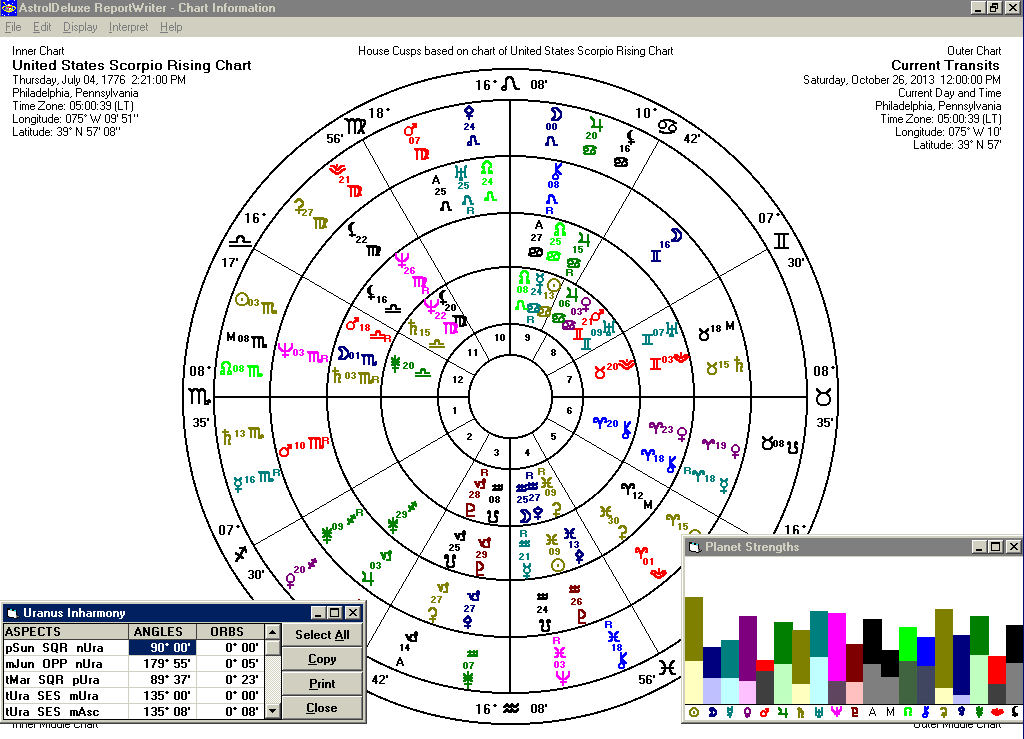
Version 8.4 let you click on the colored planet energy bars in the Planet Strengths bar graph in order to see all the aspects that contribute to those Harmonious and Inharmonious strengths.
For additions to and information about version 8, please see this page.
When Halloran Software creates your personalized AstrolDeluxe program CD, we will add to folders on the CD all the add-on interpretation sets that your customer record shows you to have purchased.
There is no need to contact Halloran Software in order to install the CD to different computers. Product activation may be added in the future for new customers, but I do not feel that product activation is needed for existing customers.
This will give you a CD which will be a reliable means for future installations of your software.
Astrology for Windows is now available in a 32-bit version 3.0 which is 100% compatible with everything from 32-bit Windows 95 to 64-bit Windows 7, 8, 10, and 11. It is available by electronic download with a registration price of $45.00 for new users and $35.00 to previous Astrology for Windows customers. It comes in 15 world languages. For more info, see this page.
Design and Interface
The Windows astrology programs from Halloran Software result from a collaboration between
John Halloran  and Robert
Brown
and Robert
Brown  These programs merge
our talents for astrology
These programs merge
our talents for astrology  a secure foundation
  advanced
technology
advanced
technology  and a pleasing
interface
and a pleasing
interface  A reviewer says of the interface: "simple and intuitive",
"a pleasure to use", "runs very cleanly",
"thoroughly tested", and "I didn't crash the program
once" (Mountain Astrologer).
A reviewer says of the interface: "simple and intuitive",
"a pleasure to use", "runs very cleanly",
"thoroughly tested", and "I didn't crash the program
once" (Mountain Astrologer).
Click to read more quotes regarding the AstrolDeluxe astrology software.
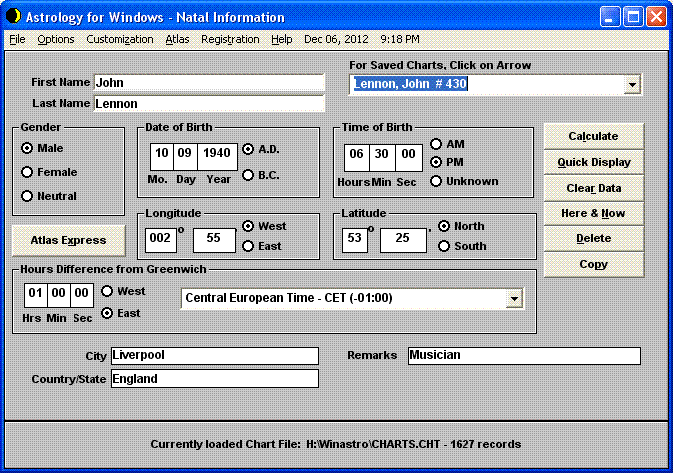
Click to see the user interface (12K
image) for the "amazingly inexpensive" Astrology
for Windows. The Astrology for Windows shareware
program comes with foreign language files for installing it in any of 15 languages: English, Spanish, Portuguese, Italian, French, Dutch, Swedish, Norwegian, Czech, Romanian,
Finnish, German, Slovak, Polish, and Russian . At this time, the extensive Help manual is only in English, but some customers have written that the program is so intuitive
they never had to read the manual. However, "the documentation
and Help are very informative, obviously produced with care"
(ibid). Click here if you are interested
in downloading Astrology for Windows.
Software Features
Single Graphic Charts
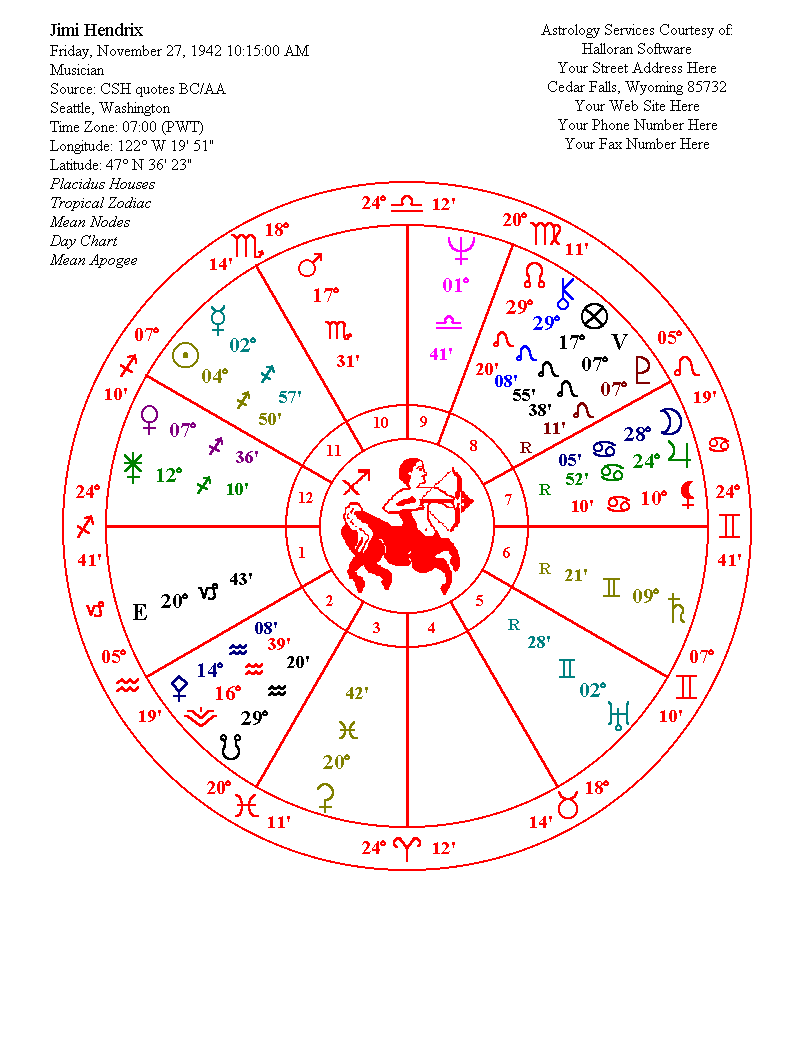
Click to see a sample printed
chart. (26K image)
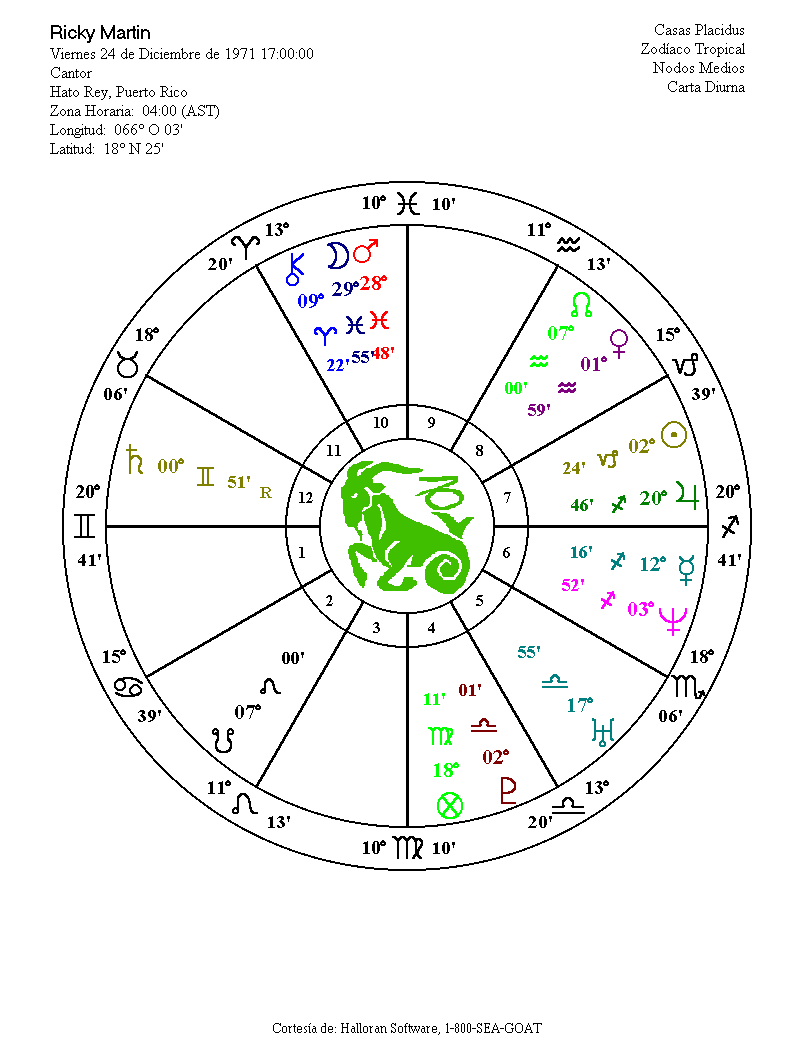
AstrolDeluxe features customizable zodiac sign images at the
center of the chart wheel.
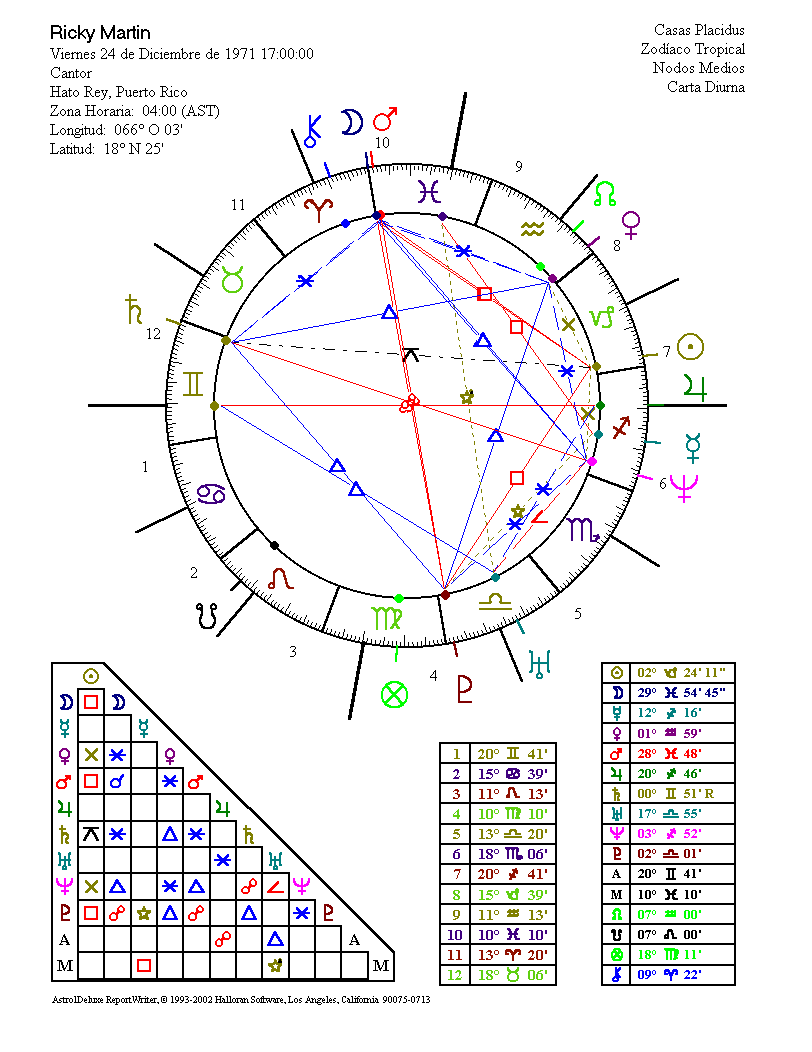
Click to see a sample printed zodiac-proportional graphic
aspects wheel. (42K image)
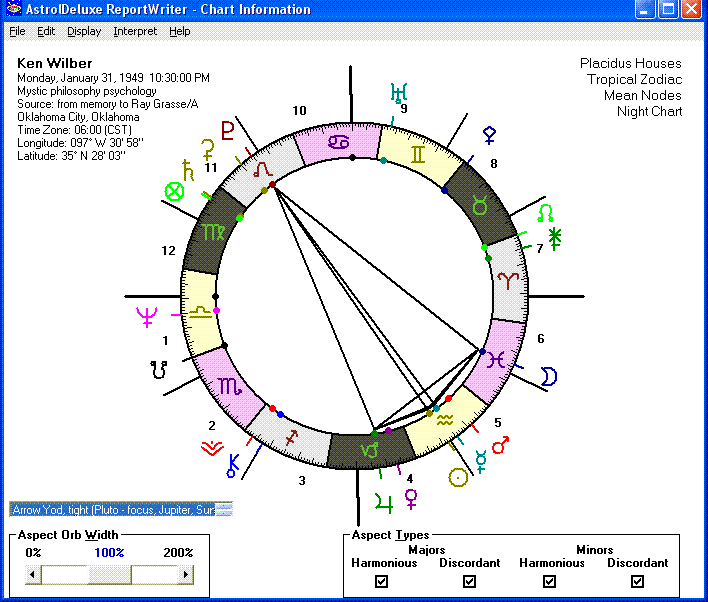
You can interact with the on-screen graphic aspects wheel by
scrolling the aspect orb width and/or by selecting which aspects
to include.
Click to see the Wheel Page With PowerGraph. (40K image; Platinum)
New with version 7, the graphic aspects wheel screen gives you a listbox
of all the aspect patterns that
the program found for the chart - clicking a pattern name in the list will clear all the aspect lines
and draw just that pattern on the chart - you can arrow up and down through all the patterns in the listbox
to see each pattern in the chartwheel. Version 8 lets you add for $50 a set of 392 aspect patterns interpretations for very personal interpretation reports of the patterns that are unique to a particular chart. These reports are both educational and fun to run.
Click to see the screen with a sample aspect pattern in the wheel. (55K image)
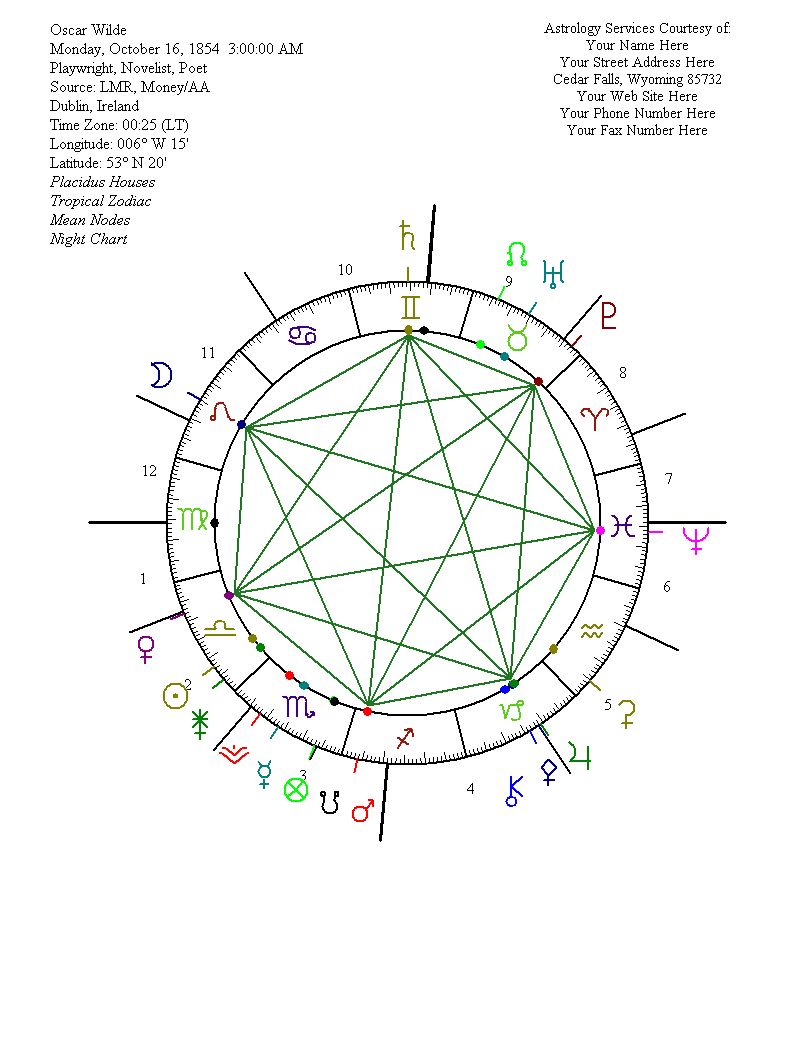
If you have a color printer, you can print beautiful, customizable
color wheels.
Click to see a printed sample of the Grand Septile aspect pattern in Oscar Wilde's chart. (23K image)
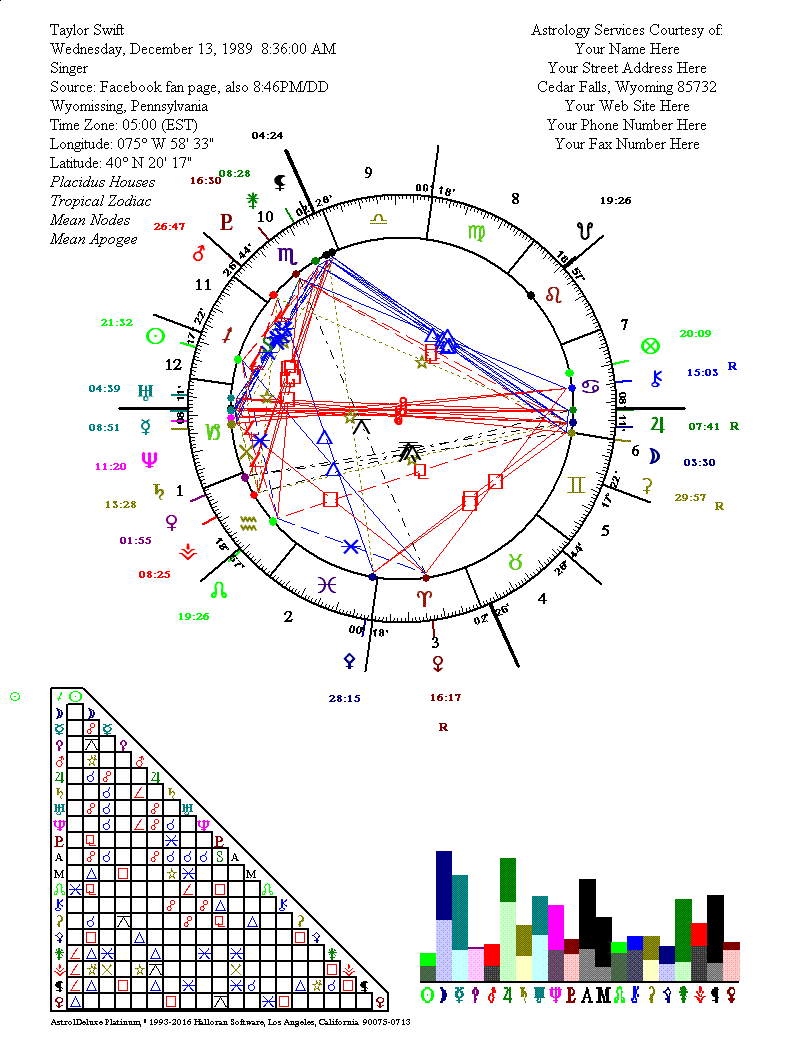
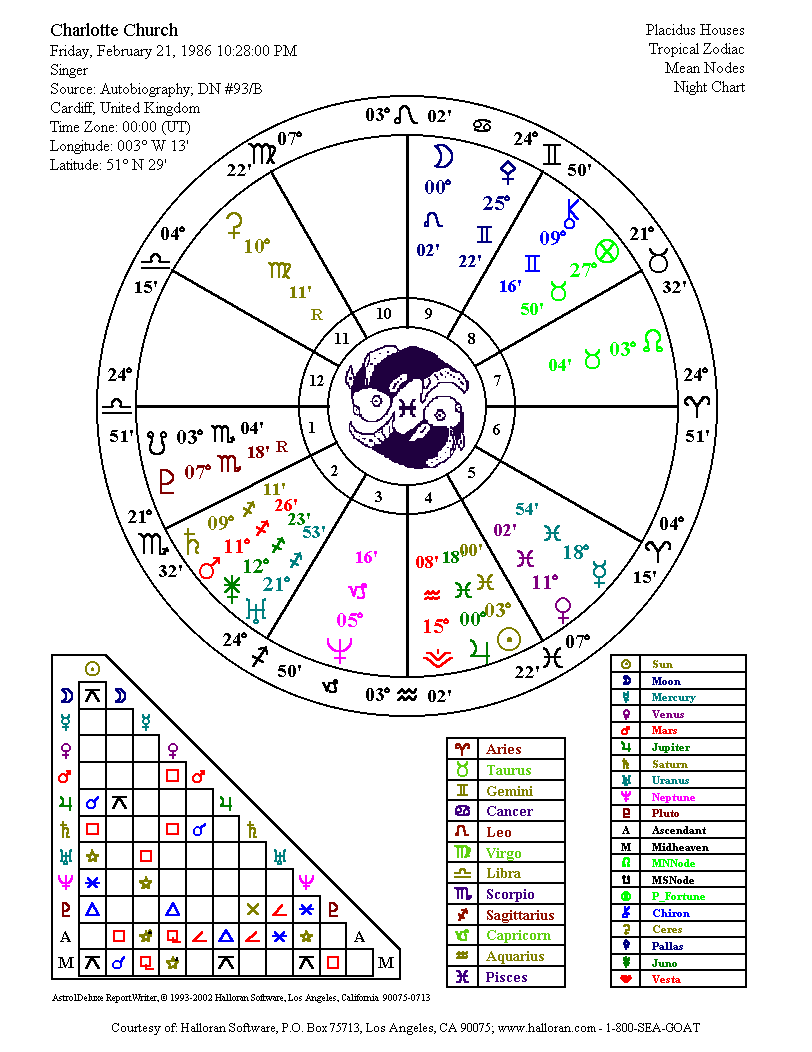
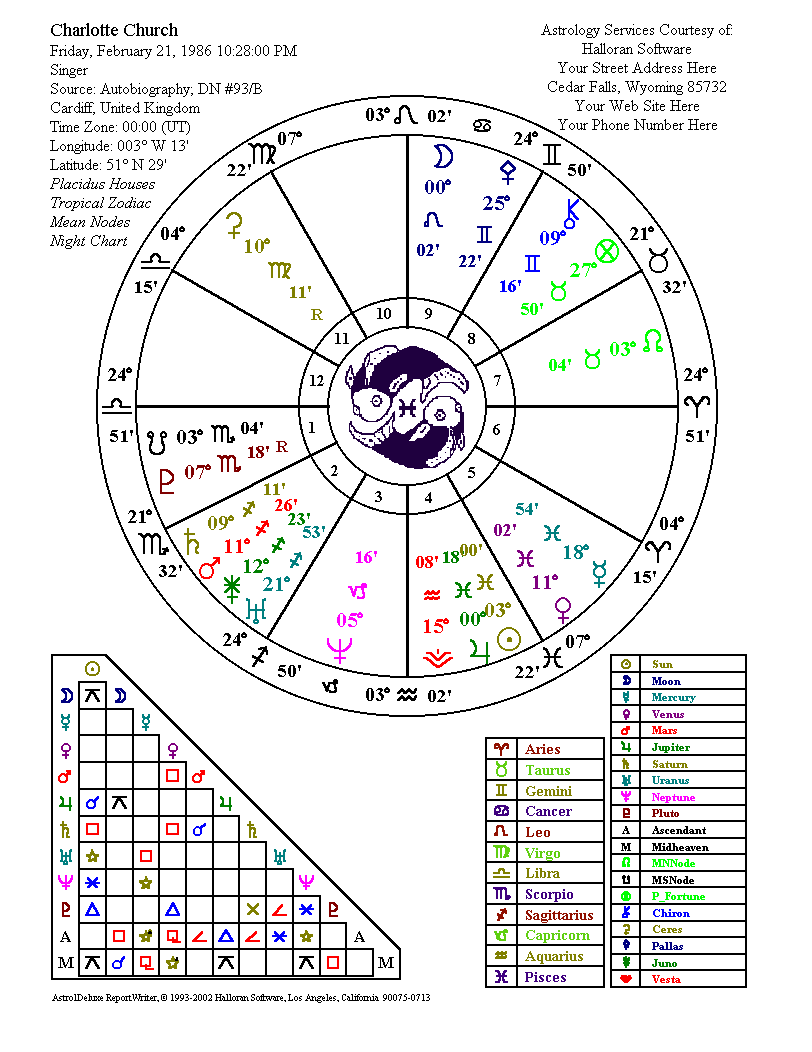
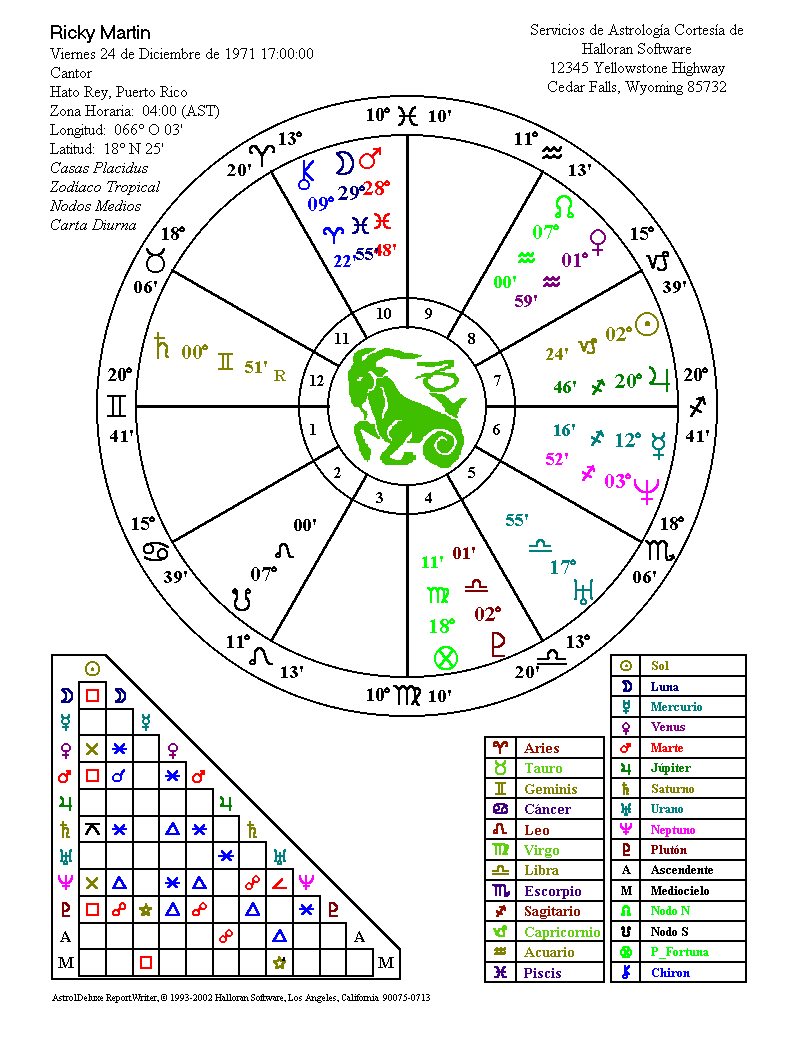
AstrolDeluxe adds the triangular aspects grid at the bottom of the normal printed chart, plus grids identifying the glyphs of the signs and planets.
Click to see a sample printed chart with aspects grid. (37K image)
Click to see a sample printed chart with aspects grid and courtesy block. (37K image)
Click to see just the printed chart wheel in Spanish. (23K image)
Click to see a sample printed chart with aspects grid and sample courtesy block in Spanish. (35K image)
Click to see a sample printed graphic
aspects wheel in Spanish. (36K image)
The above AstrolDeluxe charts were generated by the Save Page as Image (with Grids) feature on the File menu of the Chart Information Screen. You yourself can generate these attractive, compressed image files.
Save any single chart to an all-ASCII character or HTML wheel, suitable when the display calls for text only - click to see a sample ASCII character chartwheel.
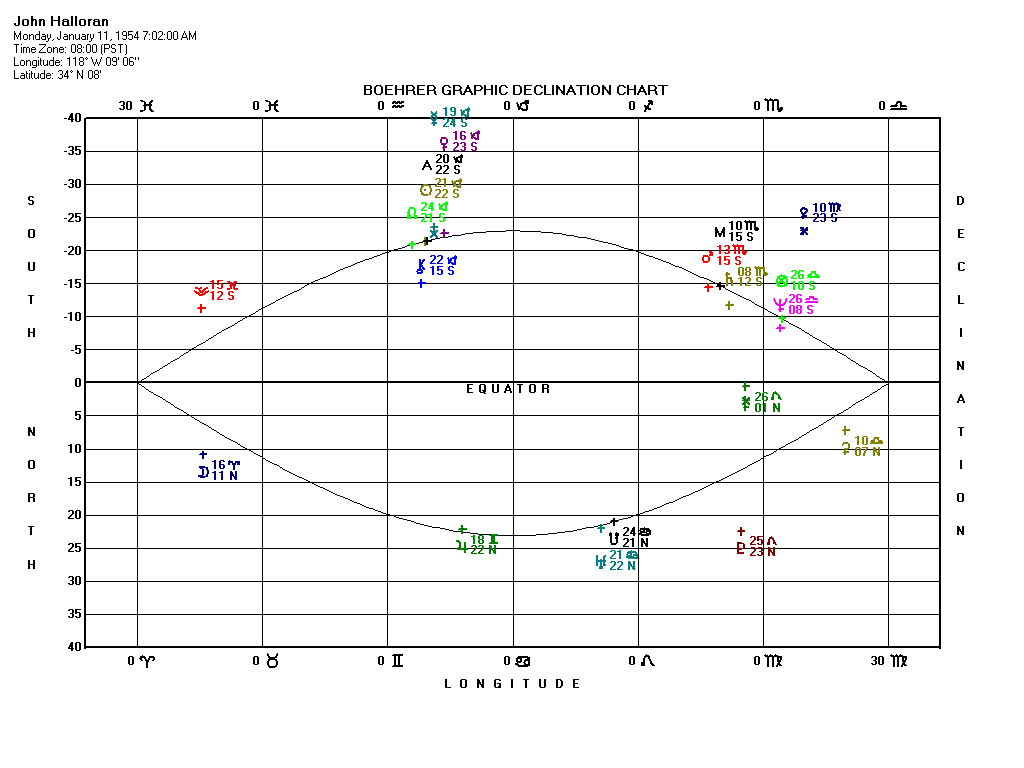
Click here to see a sample of the on-screen Boehrer Graphic Declination Chart. (19K image)
Click here or download this Adobe Acrobat PDF file to see a sample of the printed Boehrer Graphic Declination Chart. (18K image)
BiWheel Chart Comparison Functions
Multi-Wheel Comparison Functions
Calculation Accuracy
ACS PC Atlas Features
Map/Atlas Features
Astro-Mapping
Display Options
Derived Charts
Additional Features
Software Features for Astrology Research
Interpretation Reports
Demo of AstrolDeluxe
The unregistered Astrology for Windows shareware
program is a free astrology software download. It provides experience with the look and feel of our software.
Until you register Astrology for Windows for $45.00,
you can save as many as 100 charts, but you can only print the
two graphic wheels for your first saved chart. After you register Astrology for Windows you can save up to 30,000 charts and print an unlimited number of graphic wheels. You can use this accurate program to calculate on-screen an unlimited number of charts without ever paying the registration fee. A separate demo
program is bundled with the shareware Astrology for Windows
program which lets you interactively see on-screen all the major
features of AstrolDeluxe ReportWriter which are not
in the shareware program (as of version 4 of AstrolDeluxe). To run the AstrolDeluxe
demo from inside Astrology for Windows, select this
option from the Help menu on the Natal Information Screen.
Astrology for Windows - See and Try
It Yourself
Click to read about the new version 3.0 of the Astrology for Windows software program.
Click to download your own copy of the Astrology for Windows program, version 3.0 - astwin30.zip, a 6.76Mb zip archive of a Windows program that is compatible with everything from 32-bit Windows 98 to 64-bit Windows 11. First, Save the zip file to your computer, Open and extract the five files to a folder, and double-click on the setup.exe file to install Astrology for Windows (if you have an intrusive antivirus program like Avast, temporarily disable it first). The final step of the setup will allow you to choose in which of 15 world languages you want the program. In the future, you will find Astrology for Windows at Start, Programs, Halloran Software. You can always remove it at Control Panel, Add/Remove Programs.
Version 3 will still work with your previous saved charts from version 1 or 2, but it will overwrite the old program. Version 3 is a much better program - the $45 version 3 registration codes have changed from the old $26.50 version 1 and 2 registration codes No one is required to register Astrology for Windows, but there are benefits to doing so and previous customers can re-register at a discount by checking the $35 box on the website order form.
Astrology Software Secure Order Form.
Astrology Software home page.
Copyright © 1996-2026 Halloran Software, Los Angeles, California
Last modified on April 2, 2026
https://www.halloran.com/dlwin.htm
frequent misspellings: Holloran, AstroDeluxe